
Student Resources
AI Tools
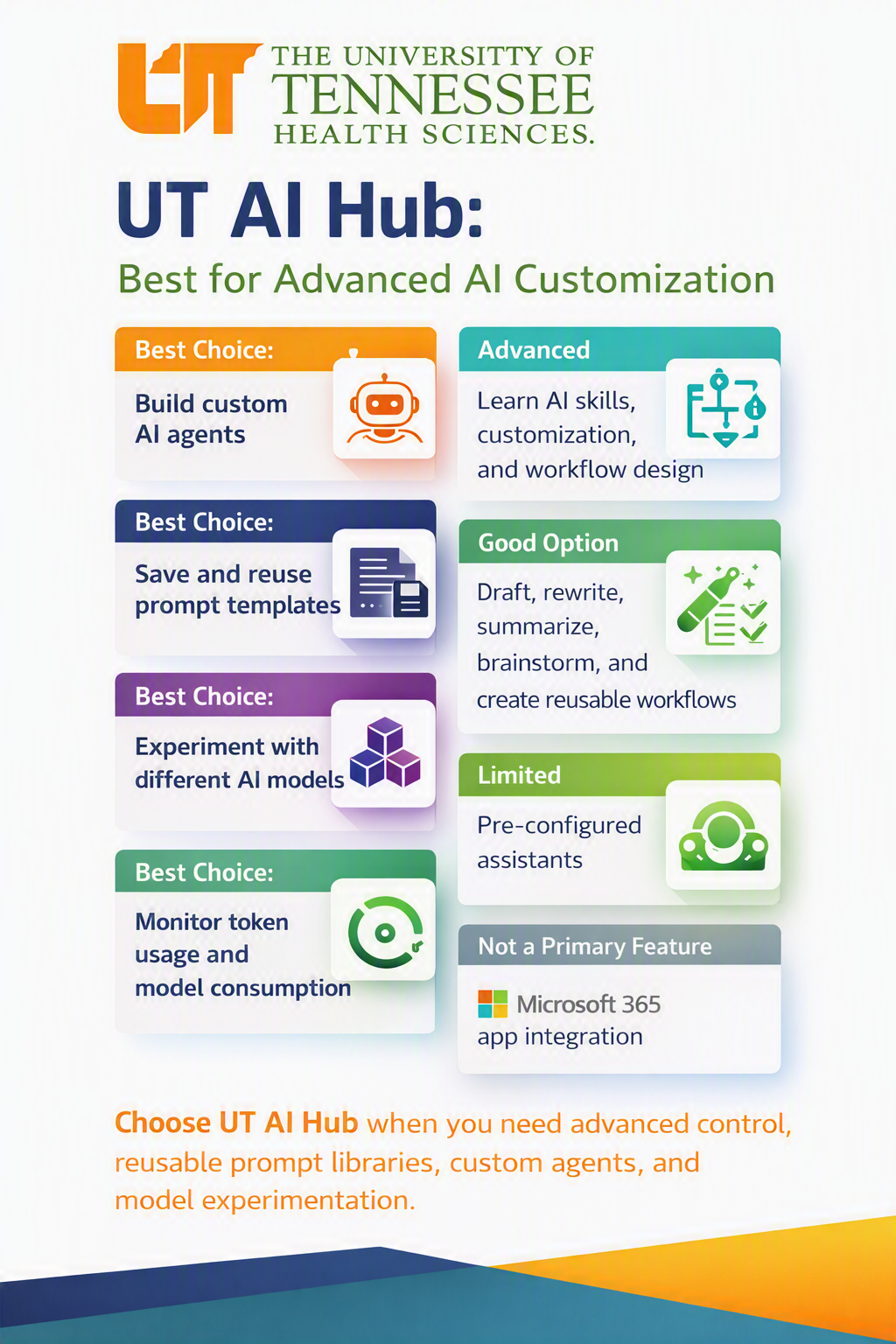
UT AI Hub is designed for users who want greater control over how they use artificial intelligence. It is the recommended platform for building custom AI solutions, creating reusable workflows, and experimenting with different AI models.
Best Uses for UT AI Hub
- Build custom AI agents tailored to specific tasks or workflows.
- Save and reuse prompt templates to improve consistency and efficiency.
- Experiment with different AI models to find the best fit for your needs.
- Monitor token usage and model consumption to better manage resources.
Advanced Capabilities
UT AI Hub supports:
- AI skill development and customization
- Workflow design and automation
- Content drafting, rewriting, summarization, and brainstorming
- Creation of reusable workflows and prompt libraries
Considerations
UT AI Hub includes some pre-configured assistants, but this is not its primary focus. Users seeking extensive Microsoft 365 application integration may find other AI tools better suited to those specific tasks.
When to Choose UT AI Hub
Choose UT AI Hub when you need:
- Advanced AI customization
- Custom AI agents
- Reusable prompt libraries
- Workflow automation
- AI model experimentation
- Usage and consumption monitoring
Remember
UT AI Hub is ideal for power users, educators, researchers, and staff who want to move beyond basic AI interactions and create more tailored, repeatable AI-powered solutions.
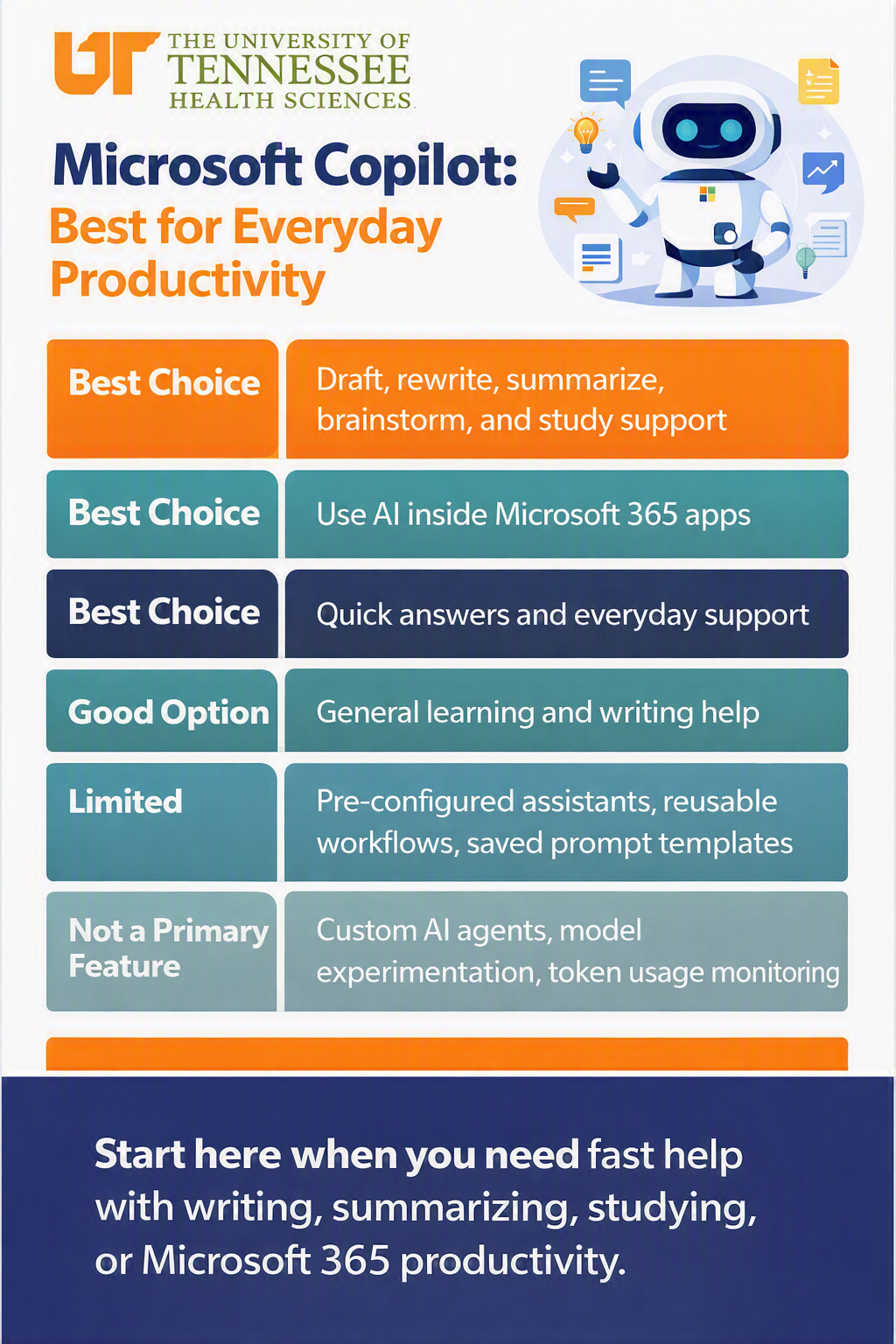
Microsoft Copilot is a good starting point when you need fast help with everyday tasks such as writing, summarizing, studying, or working in Microsoft 365.
What Microsoft Copilot Is Best For
Drafting, rewriting, summarizing, brainstorming, and study support
Best choice
Use Microsoft Copilot for everyday writing and learning tasks, including drafting content, rewriting existing content, summarizing information, brainstorming ideas, and getting study support.
Using AI inside Microsoft 365 apps
Best choice
Microsoft Copilot is a best choice when you want to use AI within Microsoft 365 apps.
Quick answers and everyday support
Best choice
Use Microsoft Copilot when you need quick answers or assistance with common, everyday tasks.
General learning and writing help
Good option
Microsoft Copilot can also provide general assistance with learning and writing.
Areas Where Microsoft Copilot Is More Limited
Microsoft Copilot has more limited functionality for:
- Pre-configured assistants
- Reusable workflows
- Saved prompt templates
The following are not primary features of Microsoft Copilot:
- Custom AI agents
- Model experimentation
- Token usage monitoring
When to Choose Microsoft Copilot
Start with Microsoft Copilot when you need fast help with writing, summarizing, studying, or Microsoft 365 productivity.
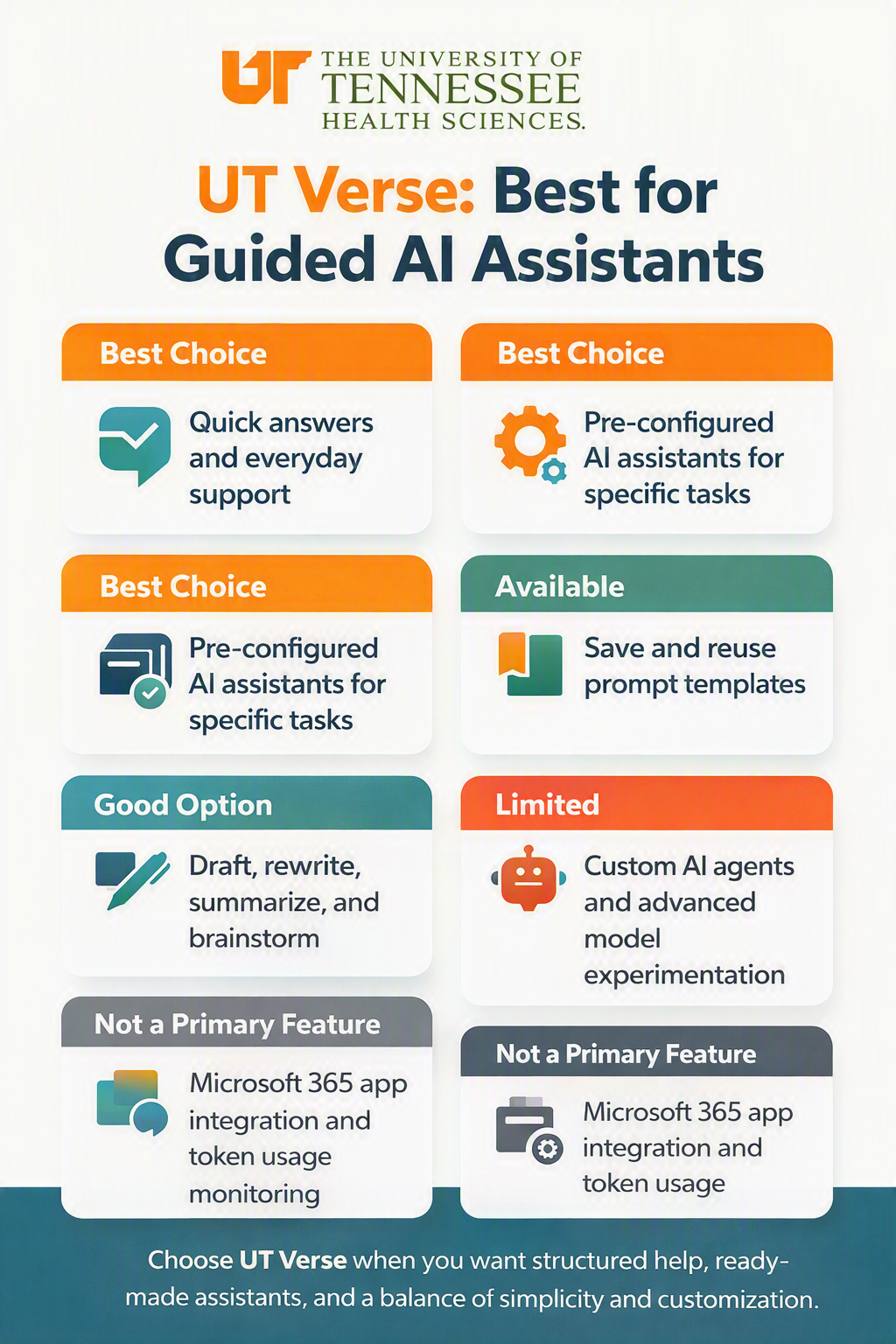
UT Verse is a good choice when you want structured help, ready-made assistants, and a balance of simplicity and customization.
Best Choices
- Quick answers and everyday support
- Pre-configured AI assistants for specific tasks
- Pre-configured AI assistants for specific tasks
Good Option
- Draft, rewrite, summarize, and brainstorm
Available
- Save and reuse prompt templates
Limited
- Custom AI agents and advanced model experimentation
Not Primary Features
- Microsoft 365 app integration and token usage monitoring
When to Choose UT Verse
Start with UT Verse when you want structured help, readymade assistants, and a balance of simplicity and customization.
AI Tips and Guides
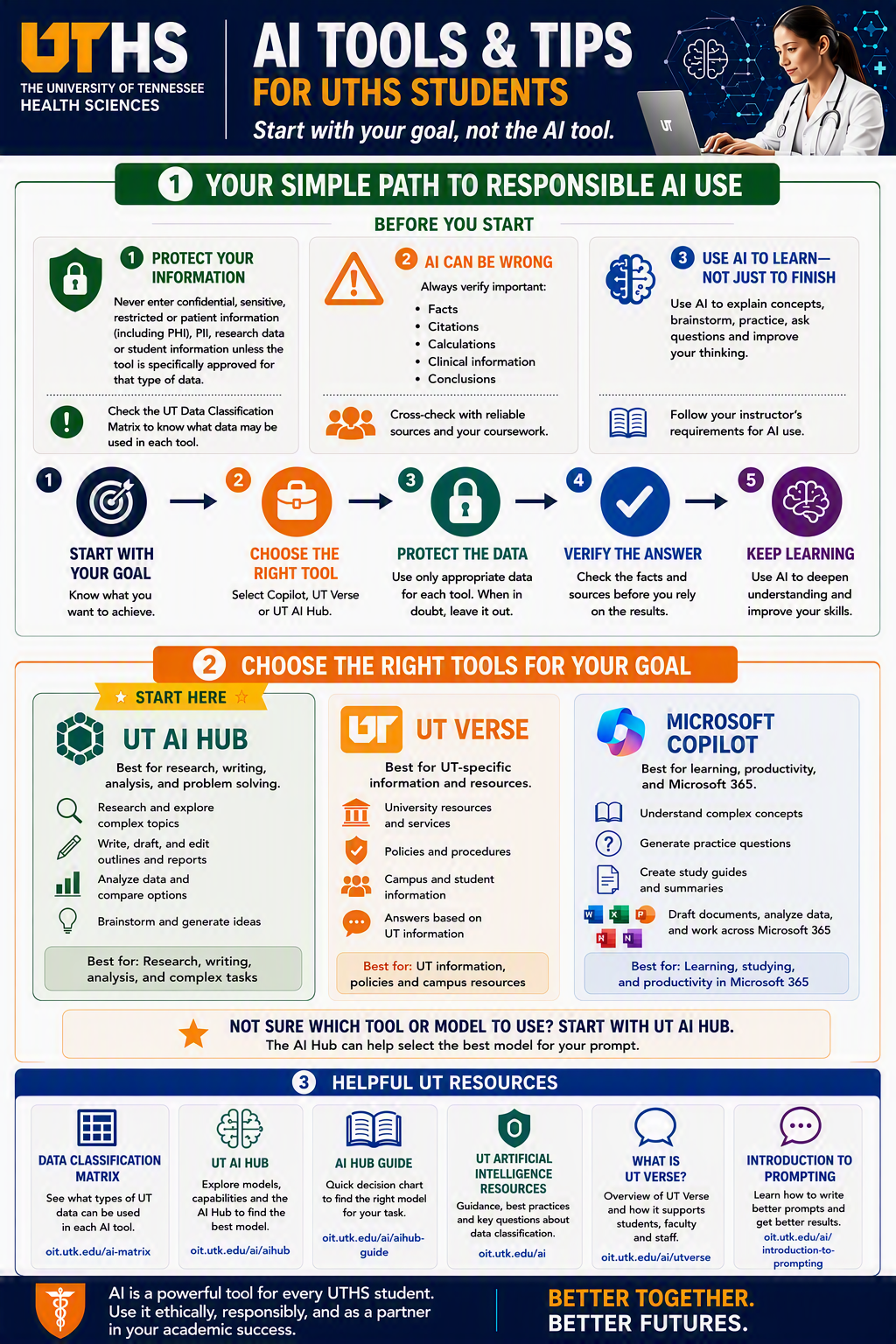
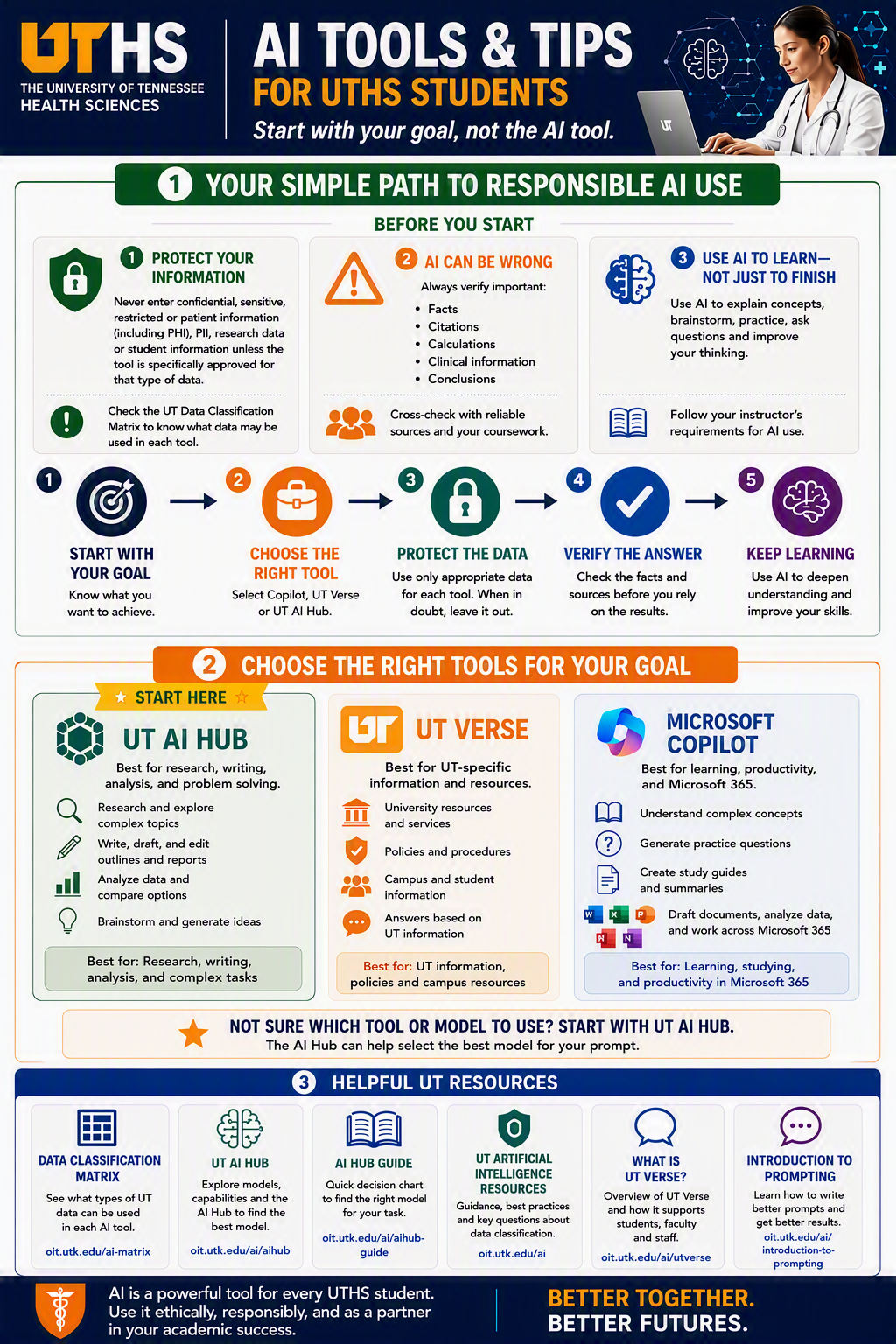
Artificial intelligence can help with studying, writing, research, brainstorming, and productivity. To use AI effectively, start with your goal rather than choosing a tool first. Select the tool that best matches your task, verify AI-generated information, and follow university guidance regarding privacy, security, and academic integrity.
Your Simple Path to Responsible AI Use
Before using any AI tool, keep these principles in mind:
Protect Your Information
Never enter confidential, sensitive, restricted or patient information (including PHI), PIl, research data or student information unless the tool is specifically approved for that type of data.
AI Can Be Wrong
AI-generated content may contain mistakes.
Always verify:
- Facts
- Citations
- Calculations
- Clinical information
- Conclusions
Cross-check important information using reliable sources and course materials.
Use AI to Learn, Not Just to Finish
AI works best as a learning partner.
Use AI to:
- Understand concepts
- Brainstorm ideas
- Practice knowledge and skills
- Ask questions
- Improve critical thinking
Always follow your instructor's expectations for AI use in coursework.
Five Steps for Responsible AI Use
- Start with Your Goal
Define what you are trying to accomplish before selecting a tool. - Choose the Right Tool
Select the AI platform that best fits your needs. - Protect the Data
Only use appropriate information in AI tools. - Verify the Answer
Check facts, sources, and important details before relying on AI output - Keep Learning
Use AI to deepen understanding and build skills over time.
Choose the Right Tool for Your Goal
UT AI Hub
UT AI Hub is best for: research, writing, analysis, and complex problem solving
Use AI Hub when you need to:
- Explore complex topics
- Research and compare options
- Draft and edit reports or outlines
- Analyze information
- Brainstorm ideas
Recommended starting point: If you are unsure which AI tool or model to use, begin with AI Hub.
UT Verse
UT Verse is best for: UT-specific information and campus resources
Use UT Verse when you need:
- University resources and services
- Policies and procedures
- Campus and student information
- Answers based on UT information
Microsoft Copilot
Microsoft Copilot is best for: learning, studying, productivity, and Microsoft 365
Use Copilot when you want to:
- Understand difficult concepts
- Generate practice questions
- Create study guides and summaries
- Draft documents
- Work within Microsoft 365 applications
- Helpful UTHS AI Resources
Helpful UT Resources
UT Data Classification Matrix: Learn what types of university data may be used with different AI tools.
UT AI Hub: Explore AI models, capabilities, and tools available through the university.
AI Hub Guide: Use a decision guide to help select the right AI tool for your task.
UT Artificial Intelligence Resources: Review university AI guidance, best practices, and frequently asked questions.
What Is UT Verse?: Learn how UT Verse supports students, faculty, and staff with university-focused assistance.
Introduction to Prompting: Learn how to write more effective prompts and improve AI-generated responses.
Remember
AI is a powerful tool, but it should be used responsibly. Protect sensitive information, verify important information, think critically about AI-generated responses, and remain responsible for your own academic work and decisions.
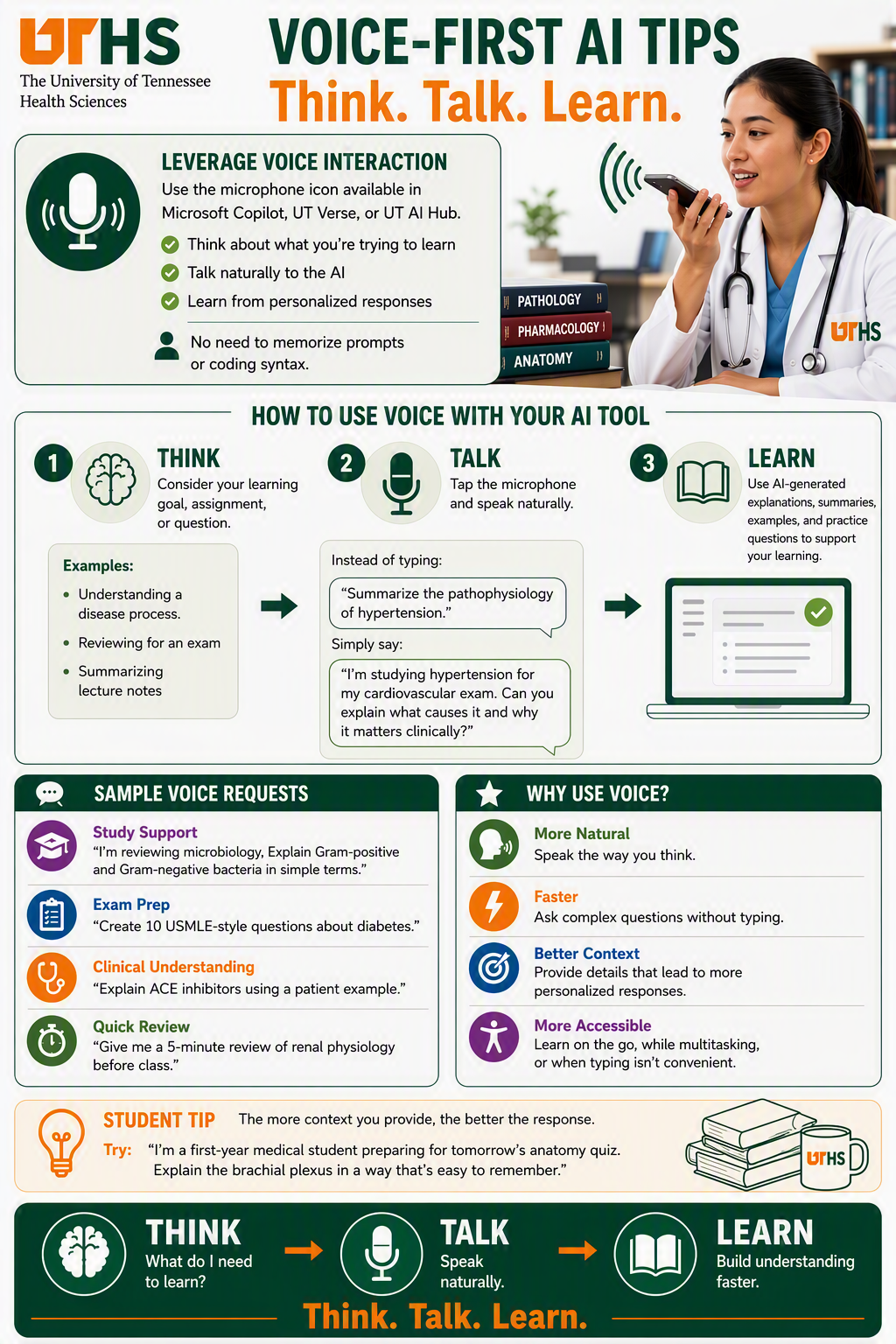
Voice-First AI Tips: Think. Talk. Learn.
Voice-enabled AI tools allow you to interact naturally using speech instead of typing. Whether you are studying, preparing for an exam, reviewing course materials, or exploring a new topic, voice interaction can help you learn more efficiently.
Leverage Voice Interaction
Use the microphone feature available in tools such as Microsoft Copilot, UT Verse, and UT AI Hub.
Voice-first AI can help you:
- Think about what you want to learn
- Speak naturally to ask questions
- Receive personalized explanations and responses
- Learn without needing to memorize prompts or coding syntax
How to Use Voice with Your AI Tool
Step 1: Think
Before speaking, consider your learning goal, assignment, or question.
Examples include:
- Understanding a disease process
- Reviewing for an upcoming exam
- Summarizing lecture notes
- Exploring a clinical concept
- Clarifying difficult course material
Step 2: Talk
Tap the microphone icon and speak naturally.
Instead of Typing
Summarize the pathophysiology of hypertension.
Try Saying
I'm studying hypertension for my cardiovascular exam. Can you explain what causes
it and why it matters clinically?
Providing context helps AI generate more relevant and useful responses.
Step 3: Learn
Use AI-generated content to support your learning by requesting:
- Explanations
- Summaries
- Practice questions
- Examples
- Review materials
- Study guides
Remember to evaluate information critically and consult course materials and instructors when appropriate.
Sample Voice Requests
Study Support
I'm reviewing microbiology. Explain Gram-positive and Gram-negative bacteria in simple terms.
Exam Preparation
Create 10 USMLE-style questions about diabetes.
Clinical Understanding
Explain ACE inhibitors using a patient example.
Quick Review
Give me a five-minute review of renal physiology before class.
Why Use Voice?
More Natural
Speak the way you think. Voice interaction can feel more conversational and intuitive than typing.
Faster
Ask complex or detailed questions without spending time typing long prompts.
Better Context
Providing details verbally often leads to richer, more personalized responses.
More Accessible
Voice tools can support learners who prefer speaking, are multitasking, or find typing inconvenient.
Student Tip
The more context you provide, the better the response.
Example
I'm a first-year medical student preparing for tomorrow's anatomy quiz. Explain the brachial plexus in a way that's easy to remember.
This type of request helps AI tailor explanations to your knowledge level and learning needs.
Key Takeaway
Think. Talk. Learn.
- Think about what you need to learn.
- Talk naturally using the microphone feature available in your AI tool.
- Learn through personalized explanations, examples, and practice materials.
Remember
Voice-first AI can help make studying, reviewing, and learning more efficient by allowing you to engage with technology in a natural, conversational way.
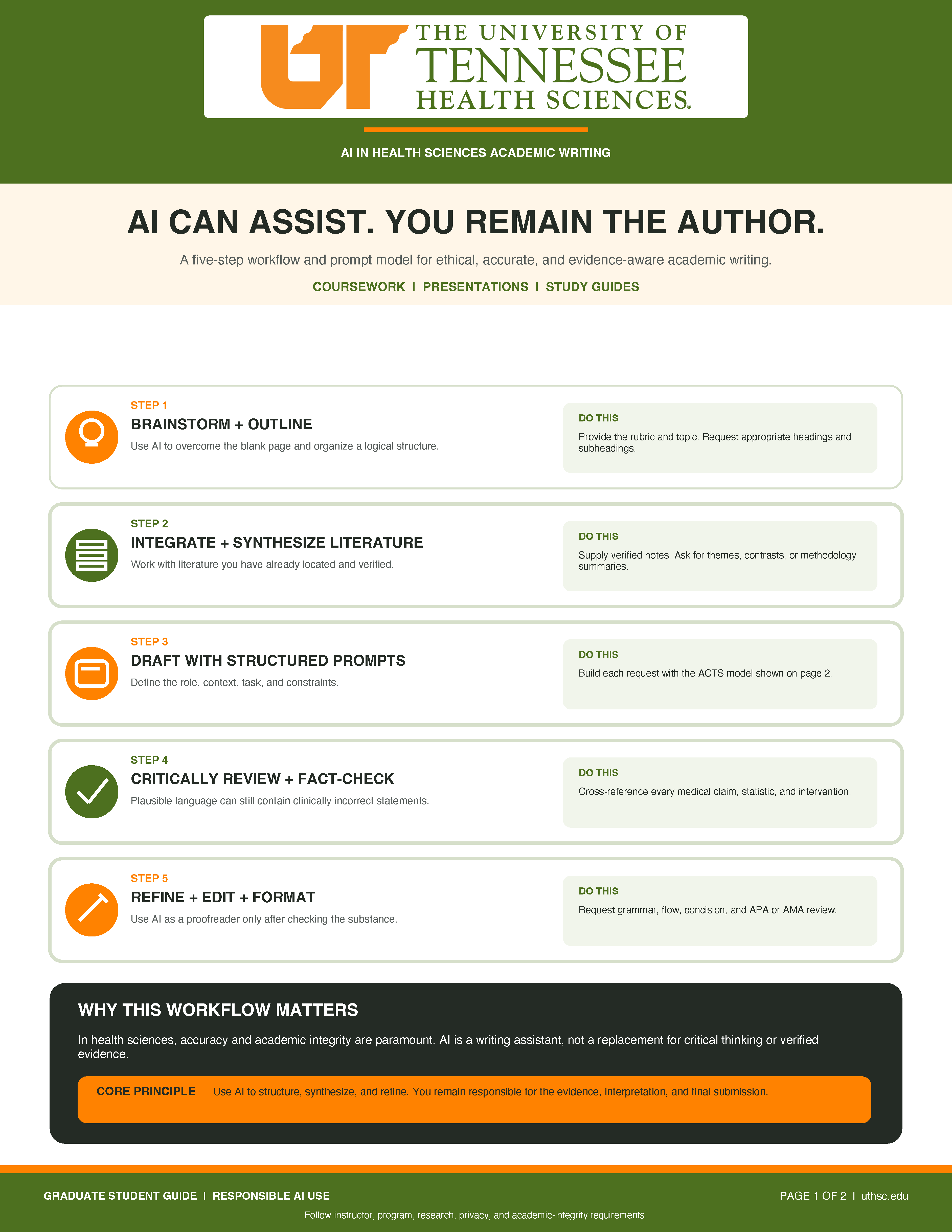
AI Can Assist. You Remain the Author.
A five-step workflow and prompt model for ethical, accurate, and evidence-aware academic writing.
This guide provides practical strategies for using artificial intelligence (AI) to support coursework, presentations, and study guides while maintaining academic integrity and responsibility for the final work.
Five Steps for Responsible AI Use
Step 1: Brainstorm and Outline
Use AI to overcome the blank page and organize a logical structure.
What to do: Provide the assignment rubric and topic. Ask AI to suggest appropriate headings and subheadings.
Step 2: Integrate and Synthesize Literature
Work with literature you have already located and verified.
What to do: Supply verified research notes and ask AI to identify themes, compare findings, or summarize methodologies.
Step 3: Draft with Structured Prompts
Define the role, context, task, and constraints when requesting assistance from AI.
What to do: Build each request using the ACTS prompting model described below.
Step 4: Critically Review and Fact-Check
AI-generated language may sound convincing while containing clinically incorrect statements.
What to do: Cross-reference every medical claim, statistic, and intervention against reliable sources.
Step 5: Refine, Edit, and Format
Use AI as a proofreader only after verifying the substance of your work.
What to do: Request assistance with grammar, flow, concision, and APA or AMA formatting.
Why This Workflow Matters
In health sciences, accuracy and academic integrity are paramount. AI is a writing assistant, not a replacement for critical thinking or verified evidence.
Core principle: Use AI to structure, synthesize, and refine your work. You remain responsible for the evidence, interpretation, and final submission.
Build a Better Prompt with ACTS
The ACTS model helps you develop clear, structured prompts for academic writing.
A — Assign a Role
Tell AI what role it should assume.
Example: "Act as an academic writing tutor for graduate nursing students..."
C — Context
Provide background information about your assignment or project.
Example: "I am writing an essay on the social determinants of health affecting maternal mortality."
T — Task
Clearly explain what you want AI to accomplish.
Example: "Draft a transition paragraph connecting the lack of transportation to decreased prenatal care visits."
S — Specify Constraints
Establish expectations and limitations for the response.
Example: "Maintain a formal, objective, and academic tone. Do not invent statistics. Use the active voice."
Appropriate Uses of AI
AI can assist with:
- Creating outlines from assignment rubrics.
- Synthesizing verified research notes.
- Drafting transitions between ideas.
- mproving clarity, grammar, and flow.
Always stop and verify:
- Unverified citations.
- Medical claims and statistics.
- Clinical recommendations.
- Potential conflicts with course requirements.
Ready-to-Adapt AI Prompts
Academic Assignments
"Review for clarity, tone, flow, and claims needing evidence."
Presentations
"Draft concise notes from my verified outline."
Study Guides
"Convert supplied text into terms, steps, and questions."
Responsible AI Use
Trust the process. Verify the product.
Clinical nuance, evidence, citations, and your scholarly voice still require human judgment.
Always follow instructor, program, research, privacy, and academic-integrity requirements.
Structured Query Construction: Example Prompts
For Class Assignments & Essays
Act as an expert academic editor. Review the following draft paragraph for my public health policy paper. Improve the clarity, academic tone, and flow. Point out any sentences that lack clarity or need stronger evidence to support the claims. Do not change the core meaning of my text. [Paste your draft here]
For Presentation Scripting
I have created an outline for a 15-minute presentation on the pharmacokinetics of beta-blockers for my pharmacology seminar. Based on this outline [Paste outline], draft the speaker notes for the “Mechanism of Action” slide. The script should be conversational but scientifically accurate, aimed at second-year pharmacy students. Keep it under 150 words.
For Study Guides & Summaries
Take the following dense textbook excerpt about the renal system [Paste text]. Rewrite this information into a structured study guide. Include:
- A bulleted list of key terms and definitions.
- A step-by-step summary of the RAAS pathway.
- Three clinical application questions to test my understanding.
Recommended Sources for Verification & Formatting
- UT HS Library: Digital Commons and various databases and publication collections.
- PubMed / MEDLINE: Verify biomedical facts and locate primary literature.
- Cochrane Library: Use evidence-based medicine and systematic reviews.
- CINAHL: Find nursing and allied health literature.
- Purdue OWL: Check APA, AMA, and academic writing standards.
- Course Textbooks & Syllabi: Defer to instructor-provided materials, rubrics, and course requirements.
Top 5 Public AI Agents for Academic Writing & Research
Claude
Best for: Natural academic writing and synthesis.
Useful for working with long drafts, uploaded notes, and complex literature synthesis.
Grammarly / GrammarlyGO
Best for: Editing, tone, grammar, and concision.
Supports refinement in Word or similar writing environments after students draft their own work.
ChatGPT
Best for: Brainstorming, outlining, and formatting.
Helpful for generating outlines, study guides, rubric-aligned drafts, and revision checklists.
Consensus
Best for: Evidence discovery.
Useful for exploring peer-reviewed evidence, but students should still verify sources independently.
SciSpace
Best for: Understanding research articles.
Can help explain dense medical papers so students can write about methods and findings accurately.
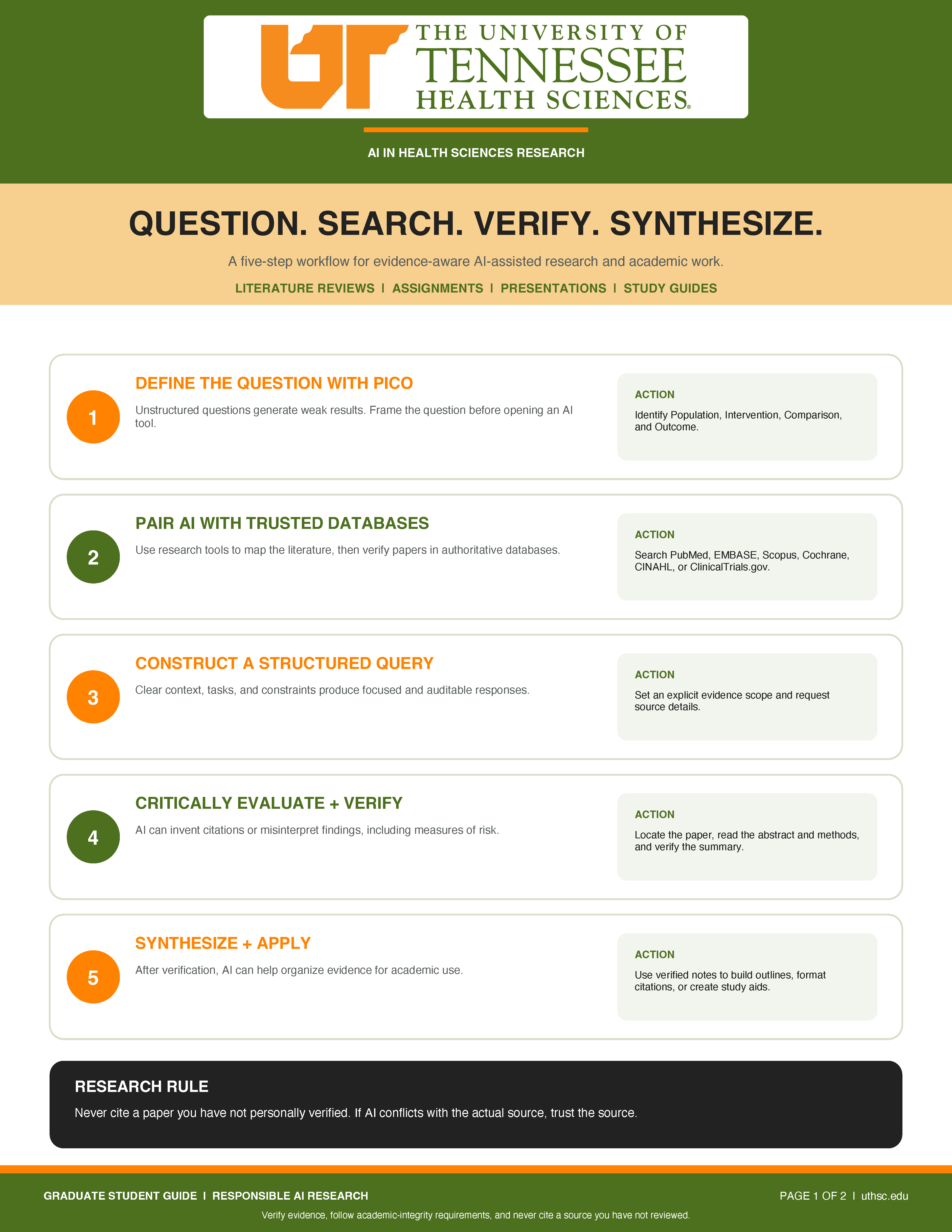
Question. Search. Verify. Synthesize.
A five-step workflow for evidence-aware AI-assisted research and academic work.
Artificial intelligence (AI) can assist with literature reviews, assignments, presentations, and study guides. However, researchers and students must verify evidence, evaluate sources, and maintain academic integrity throughout the research process.
Five Steps for Responsible AI-Assisted Research
Step 1: Define the Question with PICO
Unstructured questions generate weak results. Frame your research question before opening an AI tool.
What to do: Identify the Population, Intervention, Comparison, and Outcome (PICO) to develop a focused research question.
Step 2: Pair AI with Trusted Databases
Use research tools to map the literature, then verify papers in authoritative databases.
What to do: Search trusted resources such as PubMed, EMBASE, Scopus, Cochrane, CINAHL, or ClinicalTrials.gov.
Step 3: Construct a Structured Query
Clear context, tasks, and constraints produce focused and auditable responses.
What to do: Set an explicit evidence scope and request source details when using AI to assist with research.
Step 4: Critically Evaluate and Verify
AI can invent citations or misinterpret findings, including measures of risk.
What to do: Locate the original paper, read the abstract and methods, and verify AI-generated summaries against the actual research.
Step 5: Synthesize and Apply
After verification, AI can help organize evidence for academic use.
What to do: Use verified research notes to develop outlines, format citations, or create study aids.
Frame Your Research Question with PICO
The PICO framework helps researchers define a specific, testable clinical question before searching for evidence.
PICO represents:
- P — Patient or Population: The group being studied. Example: Adults with Type 2 Diabetes.
- I — Intervention: The treatment or approach being evaluated. Example: Intermittent fasting.
- C — Comparison: The alternative treatment or approach. Example: Standard caloric restriction.
- O — Outcome: The result being measured. Example: HbA1c reduction.
Using these four elements helps establish a focused question and supports a more targeted literature search.
The Trust-but-Verify Check
Before using or citing AI-assisted research findings, complete these four verification steps.
1. Locate the Source
Find the original research paper through PubMed or another authoritative database.
2. Read the Abstract and Methods
Review the study design, research methods, and population to understand how the research was conducted.
3. Confirm the Results
Compare AI-generated summaries with the actual study outcomes and statistics.
4. Check the Interpretation
Evaluate whether the findings have been interpreted accurately, including distinctions between relative and absolute risk.
Suggested Sources and Sites for Research Verification
UT Health Sciences Library
Access trusted databases, research assistance, journals, and evidence-based resources online.
UT Health Sciences Digital Commons
Explore UTHSC scholarship, theses, dissertations, publications, and institutional research outputs.
PubMed / MEDLINE
Find biomedical literature and verified journal citations.
Cochrane Library
Access systematic reviews and meta-analyses.
CINAHL
Search nursing and allied health literature.
Scopus / Web of Science
Explore citation tracking and interdisciplinary research.
Research Rule: Always Verify Your Sources
Never cite a paper you have not personally verified. If AI-generated information conflicts with the actual source, trust the source.
Core principle: Use AI to map and synthesize research. Use primary sources to prove and cite findings.
Always verify evidence, follow academic-integrity requirements, and review every source before citing it in academic or research work.
Pause. Check. Then Use AI.
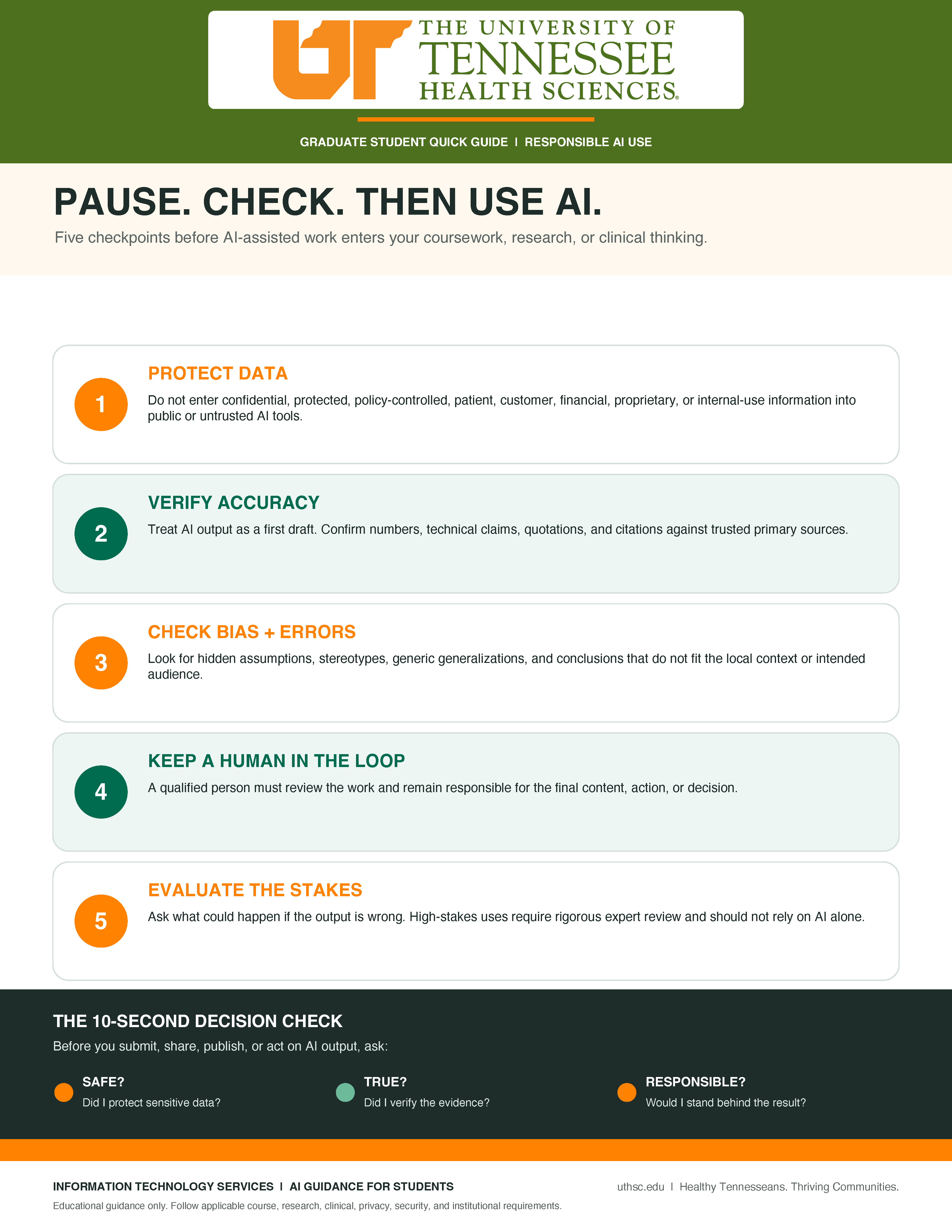
Five checkpoints before AI-assisted work enters your coursework, research, or clinical thinking.
Artificial intelligence (AI) can support academic and research activities, but its use requires careful consideration of data protection, accuracy, bias, human oversight, and potential consequences.
Before using AI-generated content, review these five checkpoints to ensure responsible and appropriate use.
Five Checkpoints for Responsible AI Use
1. Protect Data
Do not enter confidential, protected, policy-controlled, patient, customer, financial, proprietary, or internal-use information into public or untrusted AI tools.
2. Verify Accuracy
Treat AI output as a first draft. Confirm numbers, technical claims, quotations, and citations against trusted primary sources.
3. Check Bias and Errors
Look for hidden assumptions, stereotypes, generic generalizations, and conclusions that do not fit the local context or intended audience.
4. Keep a Human in the Loop
A qualified person must review the work and remain responsible for the final content, action, or decision.
5. Evaluate the Stakes
Ask what could happen if the output is wrong. High-stakes uses require rigorous expert review and should not rely on AI alone.
The 10-Second Decision Check
Before you submit, share, publish, or act on AI-generated output, ask yourself these three questions:
Safe?
Did I protect sensitive data?
True?
Did I verify the evidence?
Responsible?
Would I stand behind the result?
Important Reminder
This guide provides educational guidance only. Always follow applicable course, research, clinical, privacy, security, and institutional requirements.
Remember
Pause. Check. Then use AI.
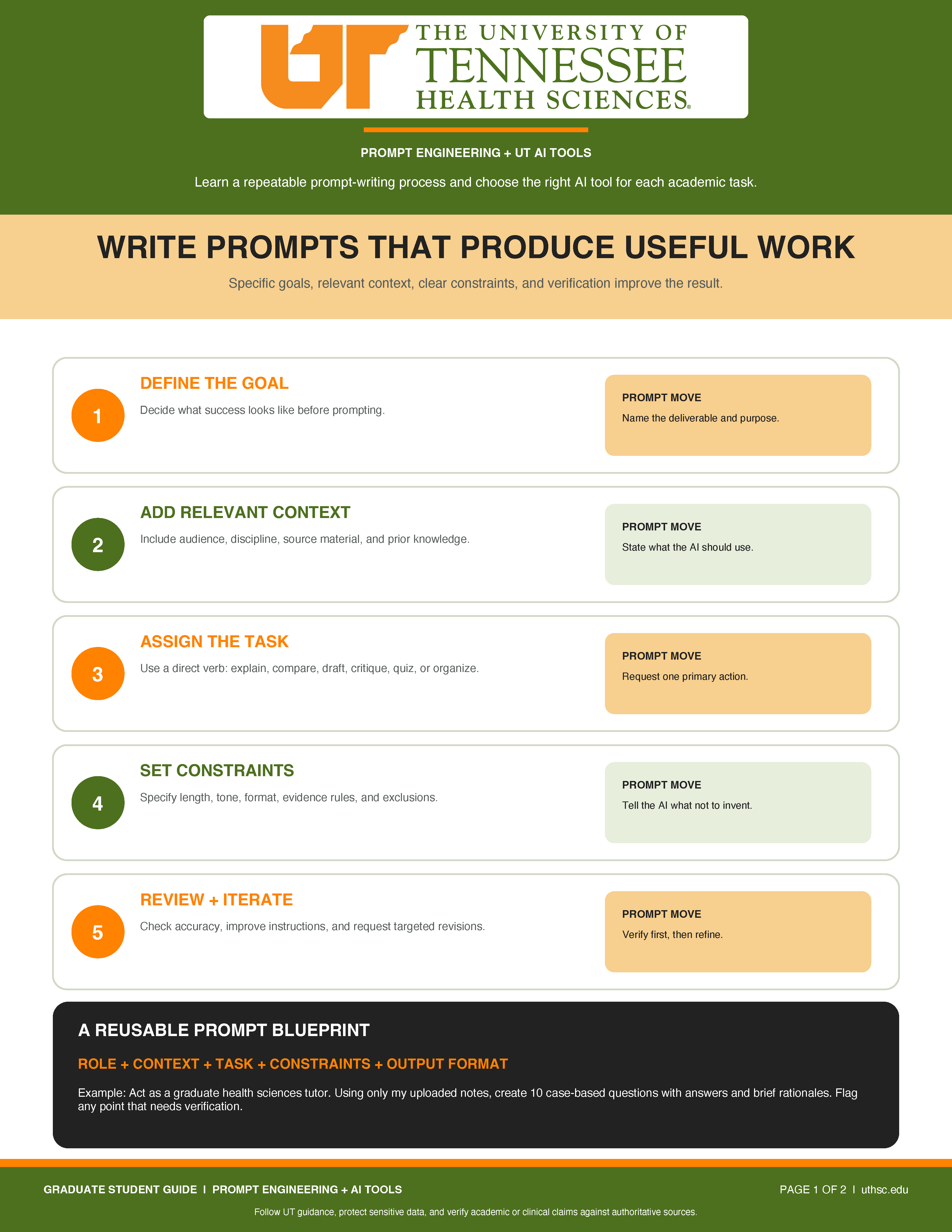
Write Prompts That Produce Useful Work
Specific goals, relevant context, clear constraints, and verification improve the result.
1. Define the Goal
Decide what success looks like before prompting.
Prompt move: Name the deliverable and purpose.
2. Add Relevant Context
Include the audience, discipline, source material, and prior knowledge.
Prompt move: State what the AI should use.
3. Assign the Task
Use a direct verb, such as explain, compare, draft, critique, quiz, or organize.
Prompt move: Request one primary action.
4. Set Constraints
Specify length, tone, format, evidence rules, and exclusions.
Prompt move: Tell the AI what not to invent.
5. Review and Iterate
Check accuracy, improve instructions, and request targeted revisions.
Prompt move: Verify first, then refine.
A Reusable Prompt Blueprint
Role + Context + Task + Constraints + Output Format
Example
Act as a graduate health sciences tutor. Using only my uploaded notes, create 10 case-based questions with answers and brief rationales. Flag any point that needs verification.
Choose the Right AI Tool for the Task
Start with the task, then select the environment whose strengths best match the work.
AI Hub
A UT environment for exploring AI-assisted work and comparing approaches.
Best fit: Model exploration, brainstorming, and prompt testing.
UT Verse
A secure UT AI chat platform for learning, research, and university-focused assistance.
Best fit: Writing support, summaries, study materials, and ideation.
Microsoft Copilot
Works alongside Microsoft 365 applications and workplace content where enabled.
Best fit: Word, PowerPoint, Outlook, Teams, Excel, and workflows.
Google NotebookLM
Works from user-provided sources and can create source-based Audio Overviews.
Best fit: Defined source sets, notes, and listening-based review.
Perplexity
A public answer engine focused on current web search and cited responses.
Best fit: Source discovery, current information, and research mapping.
Claude Pro
Expanded access to Claude models for writing, analysis, and reasoning tasks.
Best fit: Long-form writing, document analysis, and structured reasoning.
Health Sciences Guardrails
Protect Sensitive Information
Do not enter sensitive or restricted data into unapproved tools.
Verify Information
Confirm clinical, academic, numerical, and citation claims.
Disclose AI Use
Follow instructor and program rules for acceptable AI use.
Own the Final Work
You remain responsible for the final submission or decision.
Follow UT guidance, protect sensitive data, and verify academic or clinical claims against authoritative sources.
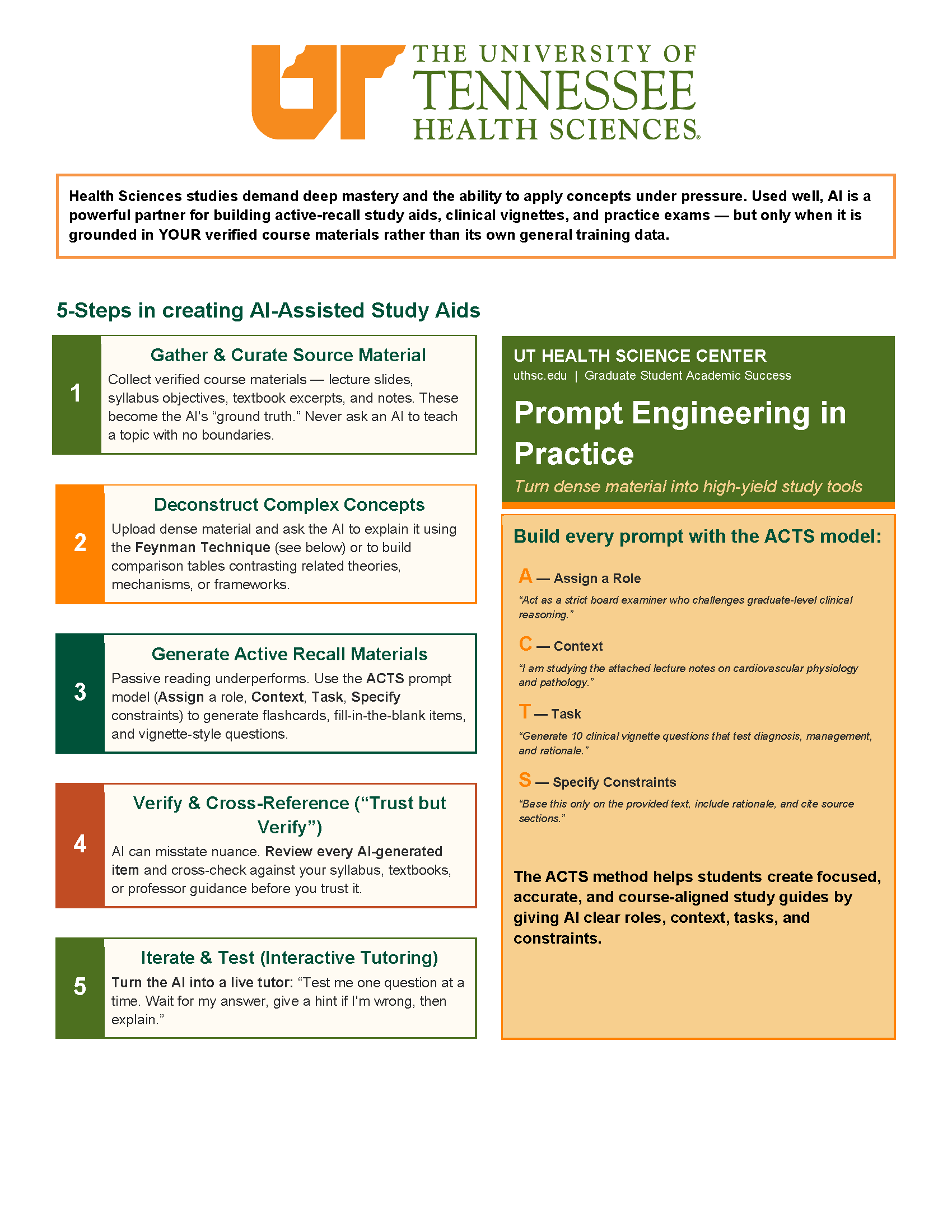
Health Sciences studies demand deep mastery and the ability to apply concepts under pressure. Used well, AI is a powerful partner for building active-recall study aids, clinical vignettes, and practice exams — but only when it is grounded in your verified course materials rather than its own general training data.
Five Steps in Creating AI-Assisted Study Aids
1. Gather and Curate Source Material
Collect verified course materials — lecture slides, syllabus objectives, textbook excerpts, and notes. These become the AI's "ground truth." Never ask an AI to teach a topic with no boundaries.
2. Deconstruct Complex Concepts
Upload dense material and ask the AI to explain it using the Feynman Technique (see below) or to build comparison tables contrasting related theories, mechanisms, or frameworks.
3. Generate Active Recall Materials
Passive reading underperforms. Use the ACTS prompt model (Assign a Role, Context, Task, Specify Constraints) to generate flashcards, fill-in-the-blank items, and vignette-style questions.
4. Verify and Cross-Reference ("Trust but Verify")
AI can misstate nuance. Review every AI-generated item and cross-check against your syllabus, textbooks, or professor guidance before you trust it.
5. Iterate and Test (Interactive Tutoring)
Turn the AI into a live tutor: "Test me one question at a time. Wait for my answer, give a hint if I'm wrong, then explain."
Prompt Engineering in Practice
Turn dense material into high-yield study tools.
Build every prompt with the ACTS model:
A — Assign a Role
"Act as a strict board examiner who challenges graduate-level clinical reasoning."
C — Context
"I am studying the attached lecture notes on cardiovascular physiology and pathology."
T — Task
"Generate 10 clinical vignette questions that test diagnosis, management, and rationale."
S — Specify Constraints
"Base this only on the provided text, include rationale, and cite source sections."
The ACTS method helps students create focused, accurate, and course-aligned study guides by giving AI clear roles, context, tasks, and constraints.
How to Use the Feynman Technique
Since the root of this technique involves explaining the concept, you could execute it in a number of ways — including literally grabbing a friend and explaining to them what you're learning. However, you don't always have willing friends at hand, so here's the simpler method that just involves a sheet of paper.
-
Step 1:Grab a sheet of paper and write the name of the concept at the top. You can use pretty much any concept or idea — even though the technique is named after Feynman, it's not limited solely to math and science.
-
Step 2:Explain the concept in your own words as if you were teaching it to someone else. Focus on using plain, simple language. Don't limit your explanation to a simple definition or a broad overview; challenge yourself to work through an example or two as well to ensure you can put the concept into action.
-
Step 3:Review your explanation and identify the areas where you didn't know something or where you feel your explanation is shaky. Once you've pinpointed them, go back to the source material, your notes, or any examples you can find in order to shore up your understanding.
-
Step 4:If there are any areas in your explanation where you've used lots of technical terms or complex language, challenge yourself to rewrite these sections in simpler terms. Make sure your explanation could be understood by someone without the knowledge base you believe you already have.
Source: Thomas Frank, How to Use the Feynman Technique to Learn Faster (With Examples), College Info Geek, last updated August 30, 2021.
Example Prompts You Can Copy and Adapt
Flashcard Generation
"Act as a tutor. I am pasting my notes below. Convert them into a two-column table for flashcards — Column 1 the term/concept, Column 2 a concise, high-yield answer. [Paste notes]"
Case / Vignette Practice
"Based on the attached material, generate 5 case studies. For each, describe the scenario, then ask: 1) most likely conclusion, 2) priority action. Provide an answer key at the end."
Concept Simplification
"I'm struggling to understand [topic]. Explain it as if I'm a first-year graduate student, using a numbered list and a real-world analogy to make it easier to understand."
Ground Your AI In
-
Course syllabi and lecture slides
-
Verified databases (e.g., UpToDate/ClinicalKey)
-
Required textbooks
-
Institutional review question banks
Top AI Study Tools
-
Google NotebookLM:Grounded guides
-
Claude:Huge context for full slide decks
-
ChatGPT:Interactive Socratic tutoring
-
Quizlet AI:Instant flashcards
-
Perplexity:Cited concept explanations
Source: "AI for Creating Study Guides"